Getting started
This page covers the first steps: creating a character, getting your first robot, and the character-level settings you'll touch early on.
UI locations follow the client UI overview. Mechanics below are confirmed against the server implementation.
Get the game
Perpetuum is free on Steam.

Watch first
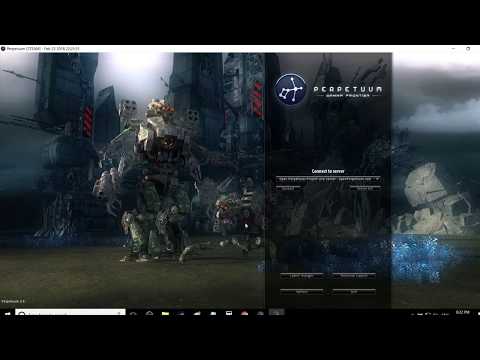
Guides from the Open Perpetuum Project. Click a card to play it here.


flowchart TD
    A["Create a character"] --> B["Tutorial zone\nRookie Checklist"]
    B --> C{"Choose an exit"}
    C -->|Pelistal| D1["Castel + missile loadout"]
    C -->|Nuimqol| D2["Yagel + railgun loadout"]
    C -->|Thelodica| D3["Prometheus + laser loadout"]
    C -->|Industrial| D4["Argano + mining loadout"]
    D1 --> E["Open world\nstarter corporation + skills"]
    D2 --> E
    D3 --> E
    D4 --> E
Creating a character
- You can check whether a name is free before creating (
characterCheckNick). - Create the character — it is attached to your account. An account can hold several characters; you play one at a time.
- Select a character to play it. Switching characters deselects the current one.
- You can rename a character later (name must be available).
- You can delete a character you no longer use.
Your first robot
-
While docked at a base, you can request the starter robot (base facilities — see the client UI overview for where base actions live).
- The base must still have starter robots in stock — at popular bases this can run out, in which case the request fails.
- There is a 5-minute cooldown between starter-robot requests per character.
- The new robot is delivered to the base's public container.
-
While docked you can also request an "infinite box": a special container added to your inventory for a 5,000 credit fee. This is a convenience container, not a source of free resources.
Character settings
- Avatar — how your character looks.
- Mood message — a short line shown to other players.
- Private note — a note only you see on one of your own characters.
- Home base — set or clear your home base; it is your default dock when the game needs to put you somewhere safe.
- Settings — per-character preferences (get/set).
- Block trades — turn trading on or off for a character.
- Credits — transfer credits between your own characters; view the transaction history.
- Account level — change session e-mail/password, view the account's transaction history and the EP-for-activity history.
Leaving / re-entering
- Sign out ends the session; select character starts it again.
- If the server kicks you (e.g. forced to base), you reappear docked — see movement.
The tutorial
New characters start in the training zone with a Rookie Checklist — finish it: it covers the basics and pays out several robots with modules and ammo. You can skip it (undock and walk to a faction exit) but you lose the rewards, and you cannot return to the training zone later. What the four faction exits give you is in the FAQ.
Survival
Perpetuum is a risk-and-reward sandbox, and when your robot dies you lose it — docked or not, killed by a player or an NPC — and reappear at your home base (you can request a free starter robot there if you arrive empty-handed). A few rules that keep the losses survivable:
- Only commit what you can replace. Undocking is a bet: if the robot goes down, it and its fitted modules are gone (or loot). Before you launch, make sure that loss is survivable.
- Know the zones. The protected (PvE) islands are safe from players; the open-PvP islands are free-for-fight with no crime/punishment system. See zones for the map.
- Know the NPCs. Orange markers only aggress when provoked; red markers aggress on approach. Run and break line-of-sight to drop aggro. See NPCs & PVE hunting.
- Mitigate, don't just accept, risk. Going to an open-PvP island in your best T4-fitted mech is how mechs die. Cheaper, replaceable gear that pays for itself in a few trips beats the expensive bot that takes twenty.
- Build a sustainable loop. Whatever you do — missions, gathering, hunting, production, hauling — someone pays NIC for it. Keep backup assets so one bad day doesn't zero your income.
What to do next
- Select your starter robot and learn the hangar & fitting screen.
- Undock and move into the zone — see movement.
- Scan the ground and start collecting resources — see gathering.
- Research your first extensions — see research.
- Pick a career — the FAQ has the menu.